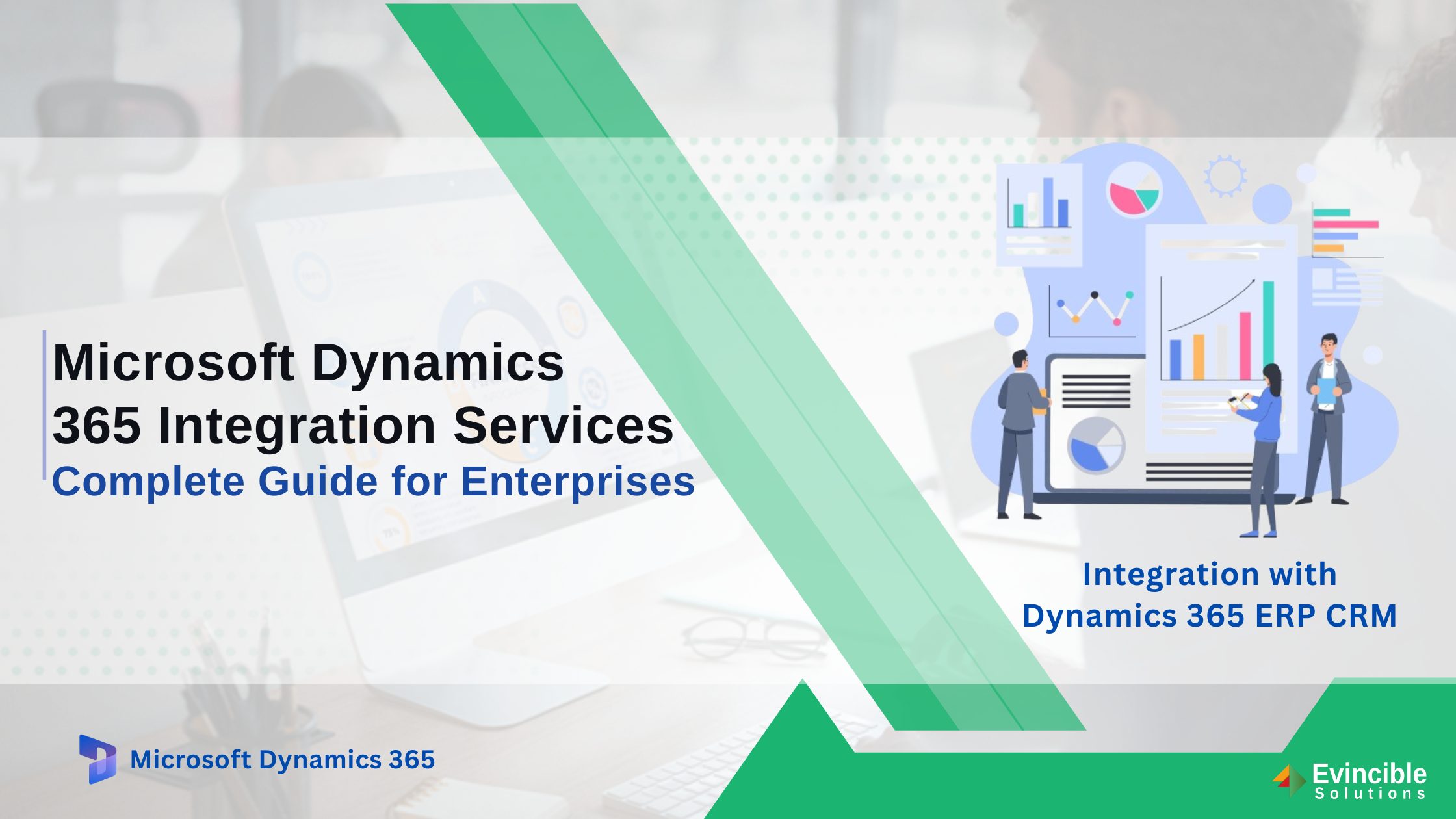
Most enterprises today do not run on a single system. Sales teams work in CRM platforms. Finance teams manage ledgers in ERP software. Operations rely on warehouse and logistics tools. HR data and marketing automation run separately.
The result is a fragmented technology stack where data stays siloed, teams re-enter the same information across multiple platforms, and leaders makes decisions based on yesterday’s exports rather than live operational data. Duplicate data entry, reporting delays, errors in financial reconciliation, and missed customer service SLAs are not minor inconveniences — they are measurable business costs that compound over time.
The answer is not replacing the tools your teams depend on. It is connecting them. Microsoft Dynamics 365 integration services make every system in your organization communicate in real time — turning disconnected data into a single, accurate, and actionable view of your business.
This guide covers everything businesses need to know — integration types, industry-specific use cases, AI-powered capabilities, delivery methodology, and what drives cost and ROI.
What Is Microsoft Dynamics 365 Integration — And Why Does It Matter?
When systems are not connected, the business pays for it — in re-entered data, delayed reports, and decisions made on incomplete information. Integration solves this at the source.
Microsoft Dynamics 365 integration is the process of connecting Dynamics 365 modules, third-party applications, and legacy systems so that data flows automatically between them — without manual intervention, duplication, or delay.
Over 48,000 companies globally have adopted Microsoft Dynamics 365 as their ERP or CRM platform. Yet the full value of the platform is only unlocked when it is connected to the rest of the technology stack. Integration is what transforms Dynamics 365 from a powerful standalone system into the intelligent operational backbone of the entire business.
Integration vs. Customization — Understanding the Difference
Integration and customization are related but distinct concepts — and confusing the two can lead to costly project decisions.
Integration connects external systems to Microsoft Dynamics 365 without altering its core architecture. Data flows between platforms through APIs, middleware, or native connectors. Customization, by contrast, modifies Dynamics 365 itself — changing forms, workflows, or business logic within the platform.
Both may be needed in a full implementation. However, integration is typically the first step after go-live — extending the platform’s reach before any internal modifications are considered.
Core Types of Microsoft Dynamics 365 Integration Services
Understanding the landscape of available integration types helps businesses select the right approach for their environment. Dynamics 365 integration services span three primary categories — native module connections within the Microsoft ecosystem, third-party application integrations, and hybrid connections for legacy and on-premises systems. Each serves a distinct purpose and requires a different technical approach.
Native Module Integration (Within the D365 Ecosystem)
Dynamics 365 is a suite of applications — Finance, Supply Chain Management, Sales, Customer Service, Business Central, Project Operations, and Human Resources — each designed to operate independently or together.
Native module integration connects these applications through Microsoft Dataverse, the shared data layer that underpins the entire Dynamics 365 ecosystem. Dataverse eliminates the need for custom data mapping between modules — enabling finance data to inform supply chain decisions, and sales data to feed directly into customer service records.
This intra-D365 connectivity is the foundation of a unified enterprise system. Businesses running Dynamics 365 Finance and Operations alongside Sales and Customer Service benefit from real-time data consistency across every department.
Third-Party Application Integration
The majority of enterprises rely on applications outside the Microsoft ecosystem. Connecting these tools to Dynamics 365 is where third-party integration delivers its greatest value.
Common integration scenarios include e-commerce platforms such as Shopify, document management systems like SharePoint, restaurant POS platforms like Foodics, ETL and middleware tools such as KingswaySoft, payment and accounts payable automation tools, marketing automation platforms, and HRMS systems.
Evincible Solutions has deep experience integrating Dynamics 365 with platforms across all of these categories. Power Automate consulting services extend this further — enabling no-code and low-code workflow automation between Dynamics 365 and external platforms without complex development overhead.
Legacy System and On-Premises Integration
Many businesses are not yet ready for a full cloud migration. Older ERP platforms, warehouse management systems, and on-premises databases continue to hold critical operational data.
Secure gateway and hybrid integration patterns allow legacy systems to coexist and synchronize with Dynamics 365 in the cloud — without requiring a disruptive rip-and-replace of existing infrastructure.
This approach protects existing investments while progressively extending the capabilities of Microsoft Azure solutions and Dynamics 365 into the legacy environment at a controlled pace.
Industry-Specific Dynamics 365 Integration Use Cases
Integration requirements vary significantly by industry. The following use cases illustrate how Dynamics 365 integration with Microsoft 365 and third-party platforms plays out in practice — and the specific operational outcomes it delivers across different sectors.
Retail and E-Commerce — Shopify + Dynamics 365
Integrating Shopify with Dynamics 365 automates the entire order-to-fulfillment workflow. Purchase orders created in Shopify flow directly into Dynamics 365, inventory levels update in real time across all channels, and customer records are unified — eliminating the data gaps that cause fulfilment errors and customer service failures.
Retailers gain a single operational view across online and in-store channels, with financial reconciliation handled automatically through Dynamics 365 Business Central — reducing manual workload and improving margin visibility.
Food Service and Hospitality — Foodics + Dynamics 365
Restaurant groups and hospitality operators connecting Foodics POS with Dynamics 365 gain real-time sales reporting across multiple locations, automated inventory depletion triggered by each transaction, and improved purchasing decisions backed by live consumption data.
Multi-location visibility — previously achievable only through manual consolidation — becomes automatic. Finance teams receive accurate daily reconciliation data without manual data entry across locations.
Field Service Management — Dynamics 365 Field Service Integration
Integrating field service management with Dynamics 365 connects technician scheduling, asset tracking, and work order management directly to ERP and inventory systems.
When a work order is raised in the field, parts availability is checked against live inventory data, procurement is triggered automatically if stock is insufficient, and service costs are posted to the correct project or cost centre without manual intervention.
Manufacturing and Distribution — ERP + Supply Chain Sync
Manufacturers and distributors integrating production, warehouse, and procurement systems with Supply Chain Management and Dynamics 365 Business Central gain end-to-end traceability from purchase order to delivery.
Real-time data synchronization across production planning, inventory control, and financial management eliminates the reporting delays and reconciliation errors that slow operational decision-making in complex supply chains.
Professional Services — SharePoint + Dynamics 365 CRM
Document-centric workflows in professional services — contract versioning, proposal management, and client record management — benefit significantly from integrating SharePoint with Microsoft Dynamics CRM.
Client-facing teams access the latest contract versions directly from within CRM records. Proposals are generated from live client data. Document approval workflows are automated — removing the version control issues and email chains that slow deal cycles.
Dynamics 365 Integration Process — Step by Step
For every integration engagement, the ideal process follows a structured, Microsoft best-practice methodology. The process is designed to protect existing system configurations, minimize business disruption, and deliver a scalable integration architecture that grows with the business. Each engagement begins with a Dynamics 365 consultation to define scope, objectives, and the right technical approach before any development begins.
1. Discovery — Goals, Systems, and Integration Architecture
The engagement begins with a structured discovery workshop where the expert maps every system in the client’s current technology stack — CRM, ERP, databases, marketing tools, and third-party platforms.
Data flows are documented, integration goals are defined — whether lead synchronization, financial data exchange, inventory updates, or order management automation — and a comprehensive integration architecture blueprint is produced before any development begins.
2. Architecture Design Using Microsoft Best Practices
With discovery complete, the architecture design phase selects the most appropriate integration method for each connection — REST API, Azure Logic Apps, middleware connectors, or custom Power Automate flows.
Scalability, security, GDPR compliance, error handling, and retry policies are built into the architecture from the outset. This prevents technical debt and ensures the integration layer remains maintainable as the business and its systems evolve.
3. Development, Configuration, and Sandbox Testing
All integration development and configuration work takes place in a dedicated sandbox environment — protecting live Dynamics 365 data and existing configurations throughout the build phase.
Quality assurance covers all defined use cases: data mapping accuracy, workflow trigger logic, error handling behaviour, performance under load, and end-to-end data flow validation across every connected system.
4. Go-Live, Monitoring, and Ongoing Support
Post-deployment, the expert provides continuous monitoring, logging, and alerting to ensure integration performance remains stable as data volumes and transaction loads grow. Any failures or anomalies are detected and resolved proactively. Clients retain access to Dynamics 365 support services for ongoing optimization, troubleshooting, and enhancement requests after go-live.
Key Benefits of Microsoft Dynamics 365 Integration Services
The following benefits represent the core operational outcomes that well-executed Dynamics 365 ERP CRM integration delivers.
Single Source of Truth
All data from sales, finance, support, and operations becomes accessible in one place. Conflicting versions of the same record are eliminated — giving every team confidence in the data they work with.
Elimination of Duplicate Data Entry
Bidirectional synchronization with validation logic keeps records clean and accurate across all connected systems. Staff stop re-entering data that already exists elsewhere — reducing errors and reclaiming productive time.
Real-Time Decision-Making
Finance and operations teams work from a live, unified data set rather than yesterday’s export. Real-time data synchronization in Dynamics 365 means that the information driving decisions reflects what is actually happening in the business right now.
Workflow Automation
Repetitive tasks — order syncing, invoice routing, case creation, inventory updates — are automated end to end. Power Automate Dynamics 365 integration eliminates manual process steps and frees staff to focus on higher-value work.
Faster ROI on Your D365 Investment
Integration unlocks the full value of Dynamics 365 licences already in place. Capabilities that were previously inaccessible due to disconnected systems become operational — extending platform value without additional headcount or licence cost.
Scalability and Future-Readiness
A well-architected Dynamics 365 integration layer grows with the business. New tools, modules, and platforms can be connected without rebuilding the entire architecture — protecting the integration investment as the technology stack evolves.
AI-Powered Integration: Microsoft Copilot Studio and Dynamics 365
Microsoft Copilot Studio represents the next frontier of Dynamics 365 integration — bringing AI-driven automation and conversational intelligence directly into business workflows. Evincible Solutions delivers Microsoft Copilot integration as a dedicated service, enabling organizations to build custom AI agents that connect to live Dynamics 365 data through Dataverse.
- Custom Copilot agents can retrieve real-time customer records, trigger approval workflows, generate case summaries, and surface operational insights — all through natural language interaction, without manual system navigation.
- Automated customer service workflows built on Copilot Studio reduce case handling time by routing queries, surfacing relevant knowledge base articles, and escalating issues to the correct team — all connected to live CRM and support data in Dynamics 365.
- No-code bot building through Copilot Studio allows business users — not just developers — to create and deploy intelligent agents connected to Dataverse. This democratises AI capability across the organization, accelerating adoption and delivering value faster than traditional development approaches.
Why Choose Evincible Solutions for Dynamics 365 Integration Services?
Choosing the right Dynamics 365 integration partner determines whether an integration project delivers lasting value or becomes a maintenance burden.
As a certified and experienced Microsoft Dynamics 365 integration partner, Evincible Solutions holds verified competencies across ERP, CRM, Power Platform, and Azure — ensuring that integration architecture follows Microsoft best practices and remains supportable as the platform evolves.
Industry-specific experience across retail, manufacturing, food service, field service, and professional services means integration solutions are designed around real operational workflows. Every architecture decision is grounded in sector knowledge and validated against production environments.
Evincible Solutions has guided businesses through every stage of this journey — from initial consultation and Dynamics 365 implementation through to integration architecture, deployment, and ongoing support. The experience spans industries, geographies, and integration complexity levels.
For organizations ready to connect their systems and unlock the full value of their Dynamics 365 investment, book a free consultation with Evincible Solutions to discuss your specific integration scenario and define the right path forward.
Frequently Asked Questions (FAQs)